Step 1 - Log into your cryptxindia.com account, click on wallet button at the top, then select INR wallet followed by INR deposit 
Step 2: Select the mode of the payment you want choose( Manual or instant)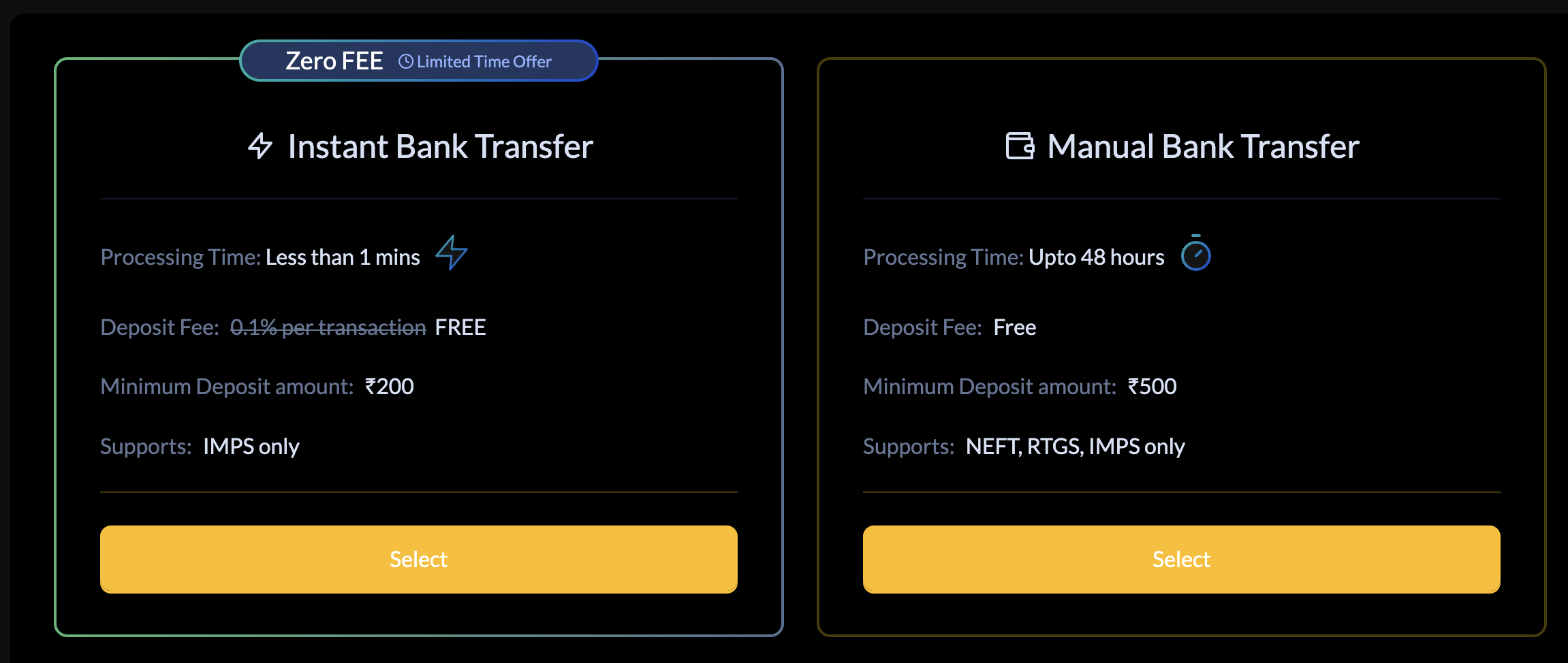
Step 3 - You will be given specific bank information to which you must transfer money according to the type you choose.
Step 4 - Enter this unique bank information as a beneficiary in your banking app.
Step 5 - Start a fund transfer via NEFT /IMPS or RTGS mode from your Cryptxindia registered banking app once a beneficiary has been added.
Step 6 - According to banking norms, your funds will appear in your Cryptxindia wallet within 60–24 hours (NEFT) after the transaction is successfully completed at the bank's end.
Was this article helpful?
That’s Great!
Thank you for your feedback
Sorry! We couldn't be helpful
Thank you for your feedback
Feedback sent
We appreciate your effort and will try to fix the article