Step 1: Preparing for Your Deposit
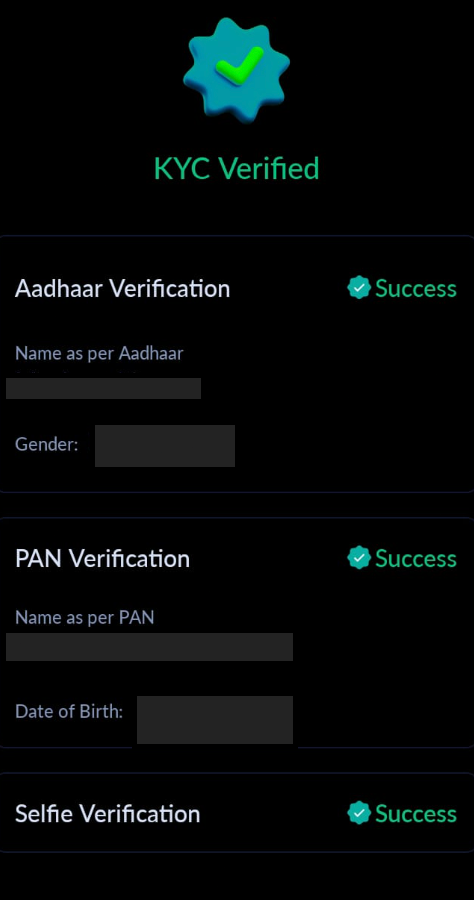
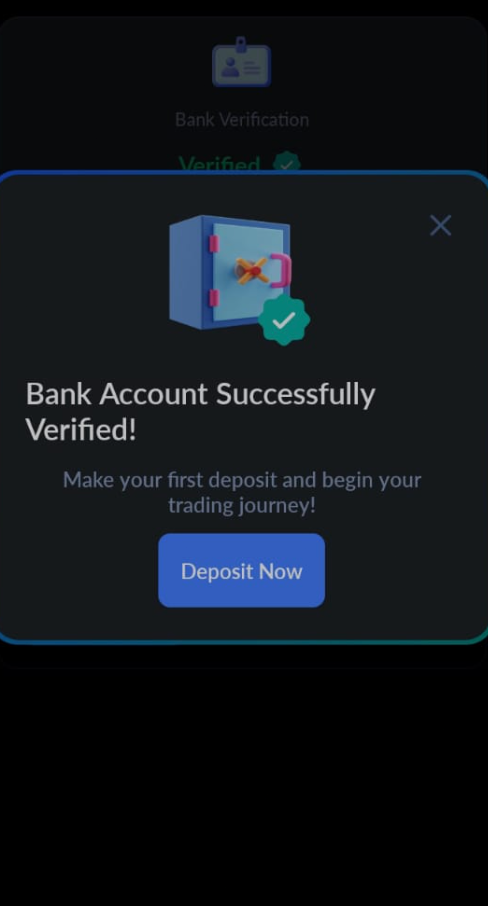
Before you start, ensure you've completed your KYC (Know Your Customer) and bank verification with Cryptxindia. This is crucial for a smooth and secure transaction process.
Step 2: Accessing the Wallets Page
Log in to your Cryptxindia account : Click on wallet button at the top, then select INR wallet followed by INR depositThis is where all your financial transactions with Cryptxindia are managed.
Step 3: Choosing Manual Bank Transfer
You will be presented with two payment options: Select 'Manual Bank Transfer' for a zero-fee transaction. This option is compatible with NEFT, IMPS, or RTGS transfers.
Remember, the minimum deposit is Rs 500, and processing can take up to 48 hours.

Step 5: Entering Your Deposit Amount
Enter the amount you wish to transfer and click on Create deposit .
Ensure that you transfer from the bank account registered with Cryptxindia for successful verification.
Step 6: Proceeding to Payment: Viewing Bank Details
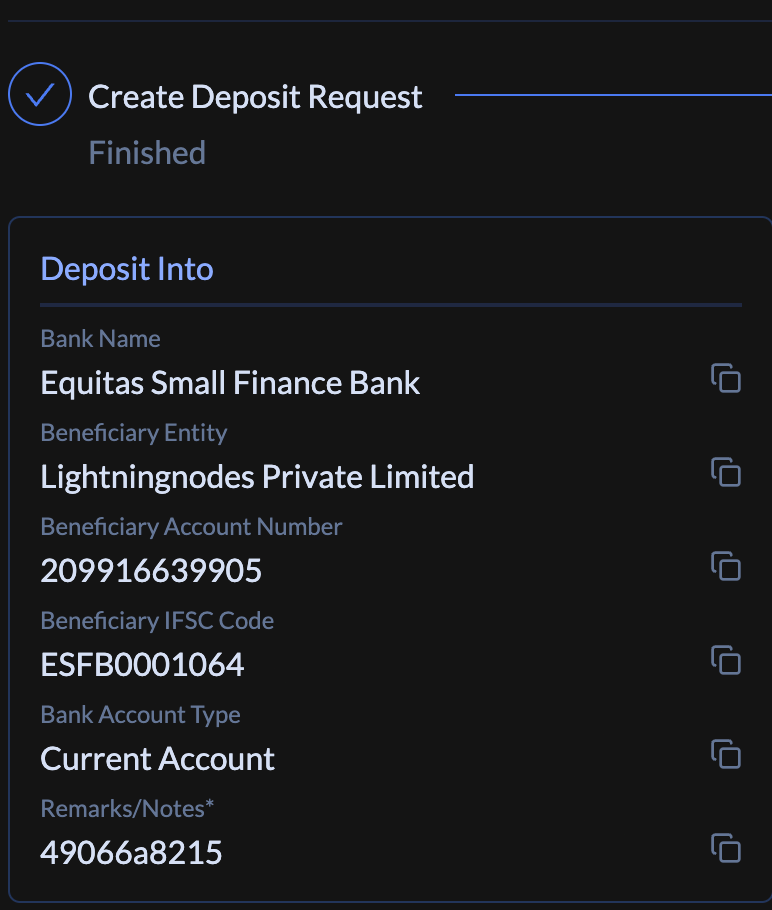
Once you click on Create Deposit , You will be able to view Beneficiary bank account information, which you’ll use for the transfer.

Step 7: Using the Unique Deposit ID
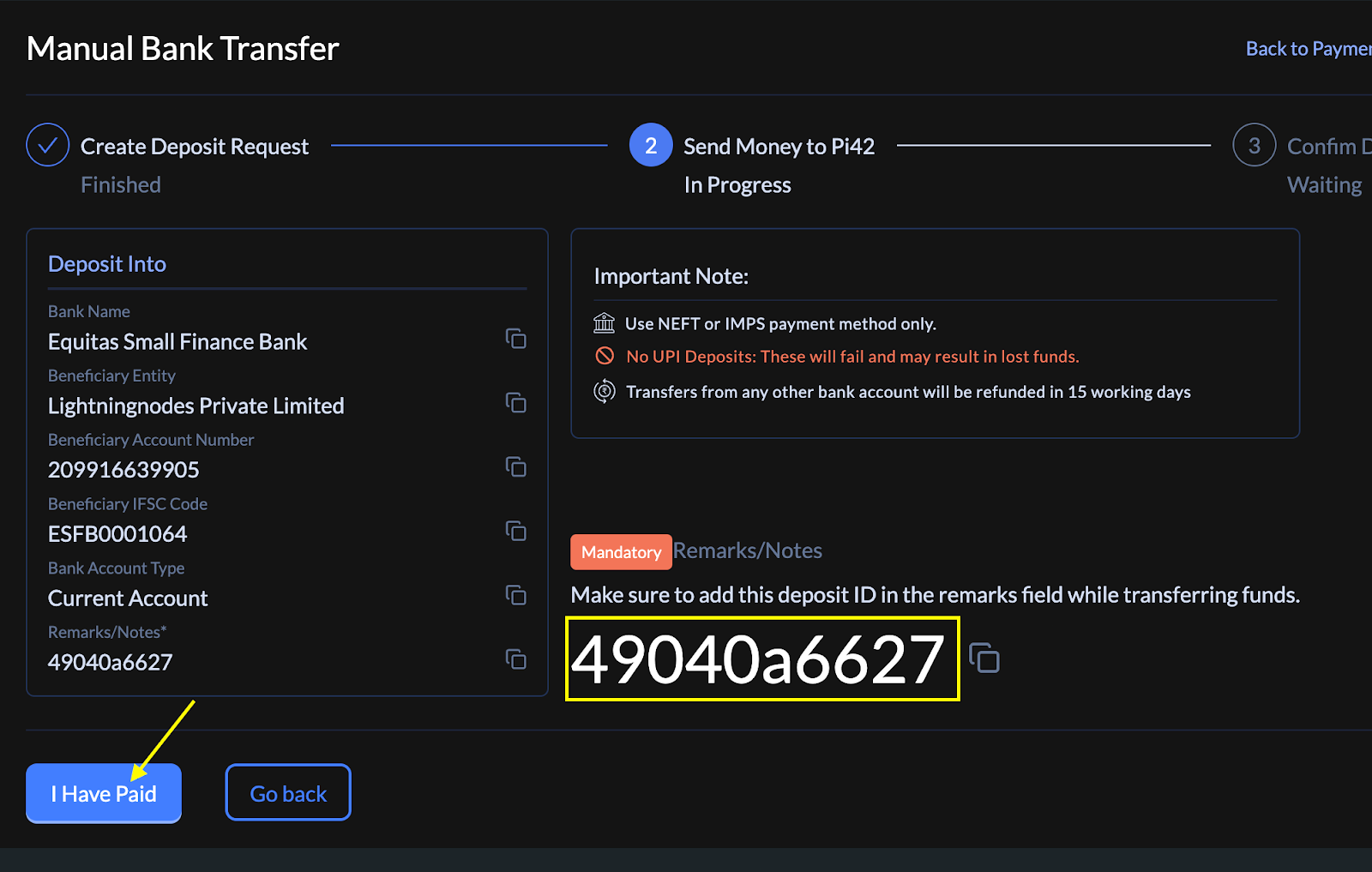
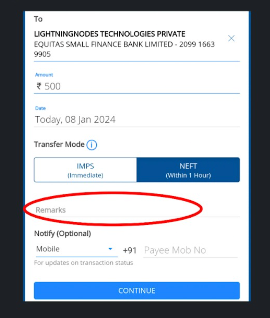
Note the "Unique Deposit ID" displayed on your screen.
Include this ID in the 'Remarks' field during your bank transfer. It's essential for tracking your deposit accurately.
Step 1 Step 2
Step 8: Confirming the Payment
After transferring the funds: Return to the Cryptxindia website.
Step 9: Entering Transaction Reference Number
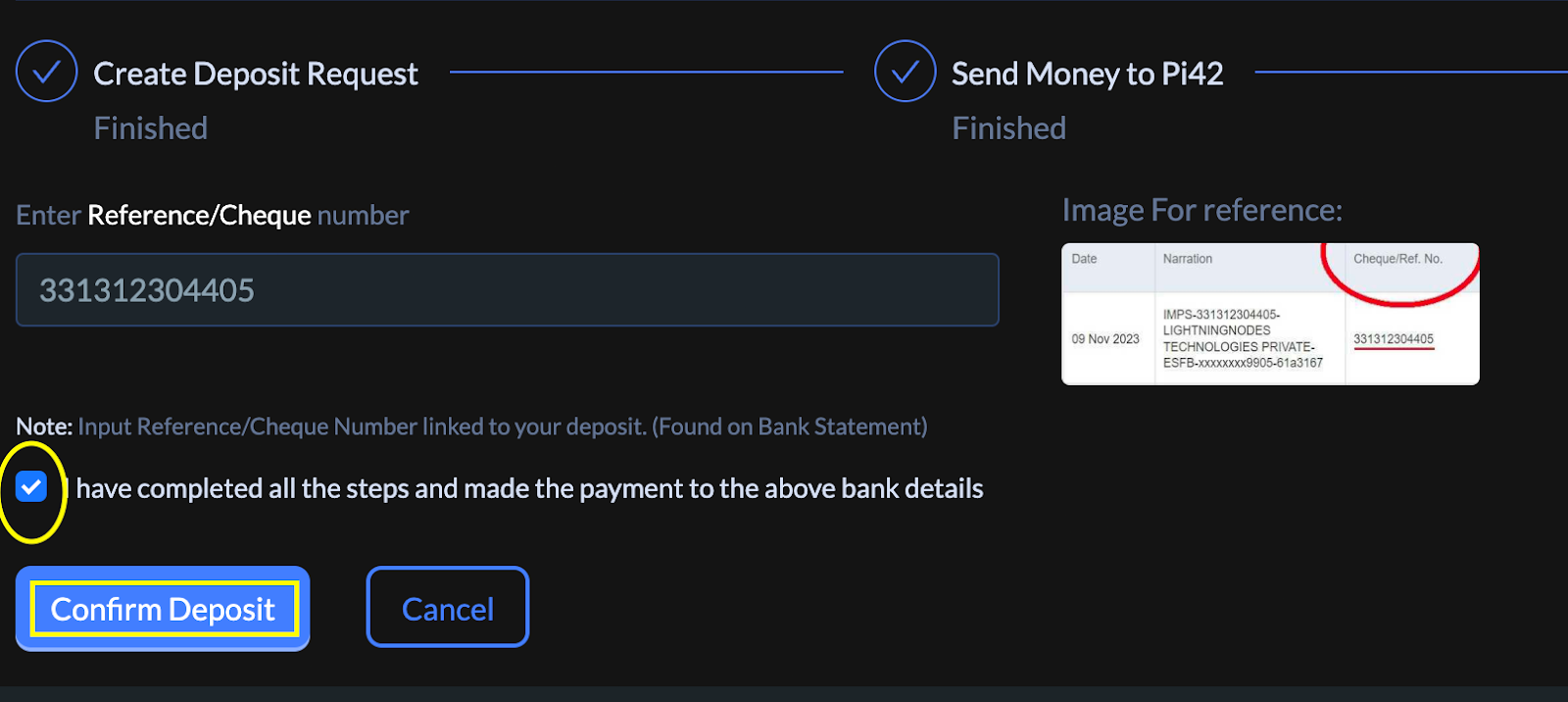
Enter the unique transaction reference number provided by your bank.
Click 'Confirm Deposit. You can find this number under the transaction details in your banking app.
Step 10: Receiving Success Confirmation
A success message will pop up in the Cryptxindia website, confirming your deposit request.
Final Step: Internal Verification
Our dedicated finance team will verify your deposit against our bank statement.
Once verified, our tech team will update your wallet balance.
Congratulations, you have successfully deposited funds into your Cryptxindia account! You are now all set to start trading. If you have any questions or need further assistance, feel free to reach out to our support team.
Thank you for choosing Cryptxindia. Happy trading!
Was this article helpful?
That’s Great!
Thank you for your feedback
Sorry! We couldn't be helpful
Thank you for your feedback
Feedback sent
We appreciate your effort and will try to fix the article