Step 1 - Login to your cryptxindia.com
Step 2 - Click on "Wallets" on the top and select "USDT Deposit "
Step 3 - Now, Explore the conversion calculator on the right. Here, understand how much INR you will receive when depositing USDT
Step 4 - Input the USDT amount, the calculator displays the value in INR
Step 5 - Now, select the block chain on which you will send USDT
Step 6 - After selecting the network,a unique crypto wallet address generates. This is your personalized deposit Cryptxindia.
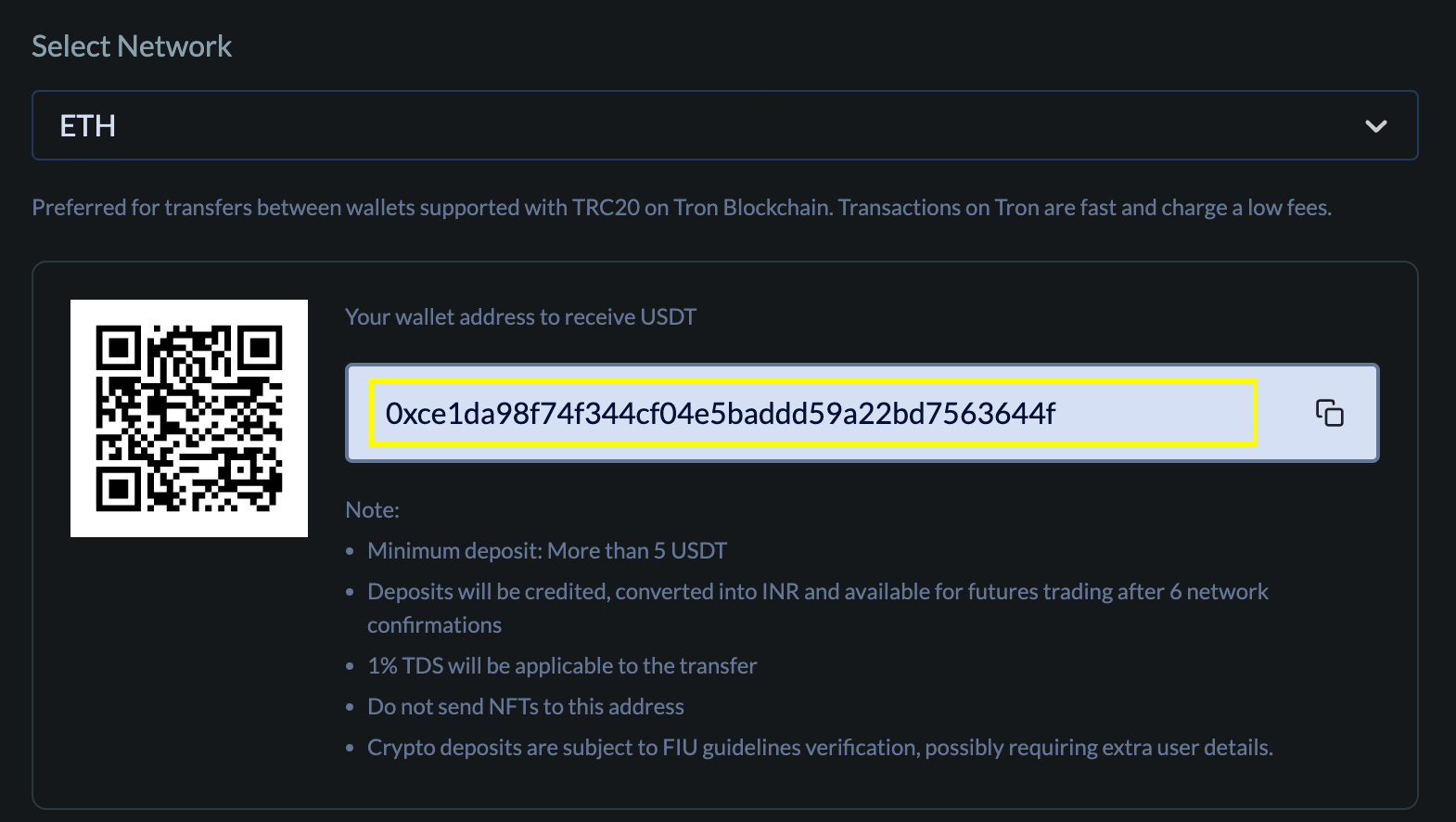
Step 7 - Now, copy the address and move to your preferred crypto wallet like Metamask

Step 8 - Click on send
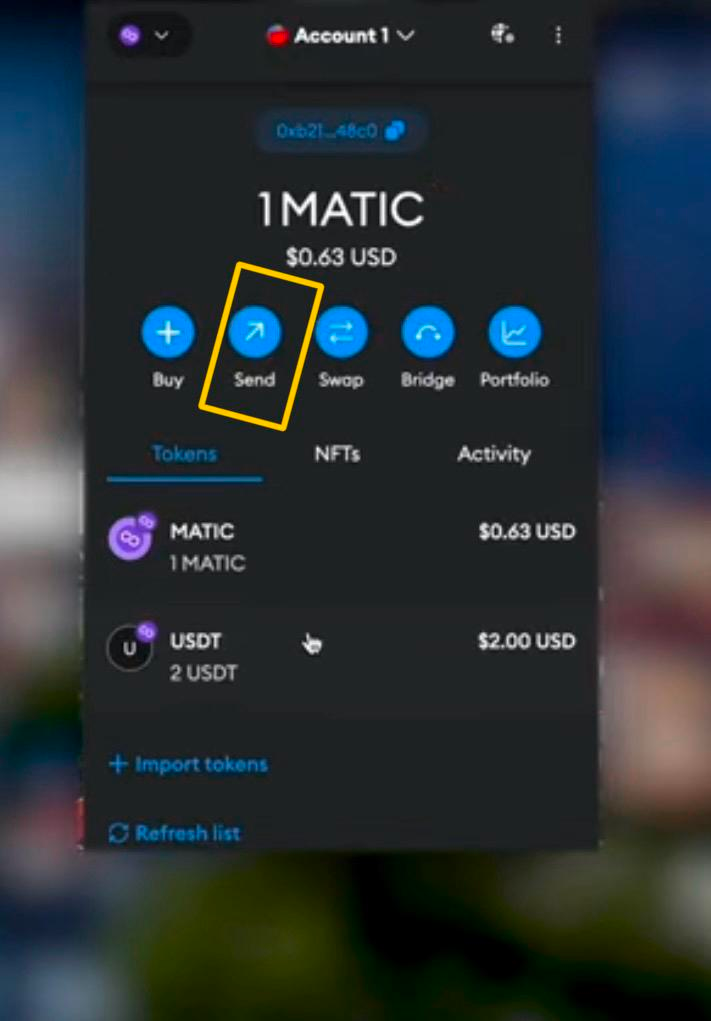
Step 9 - Paste the address copied and deposit the USDT amount and click on next
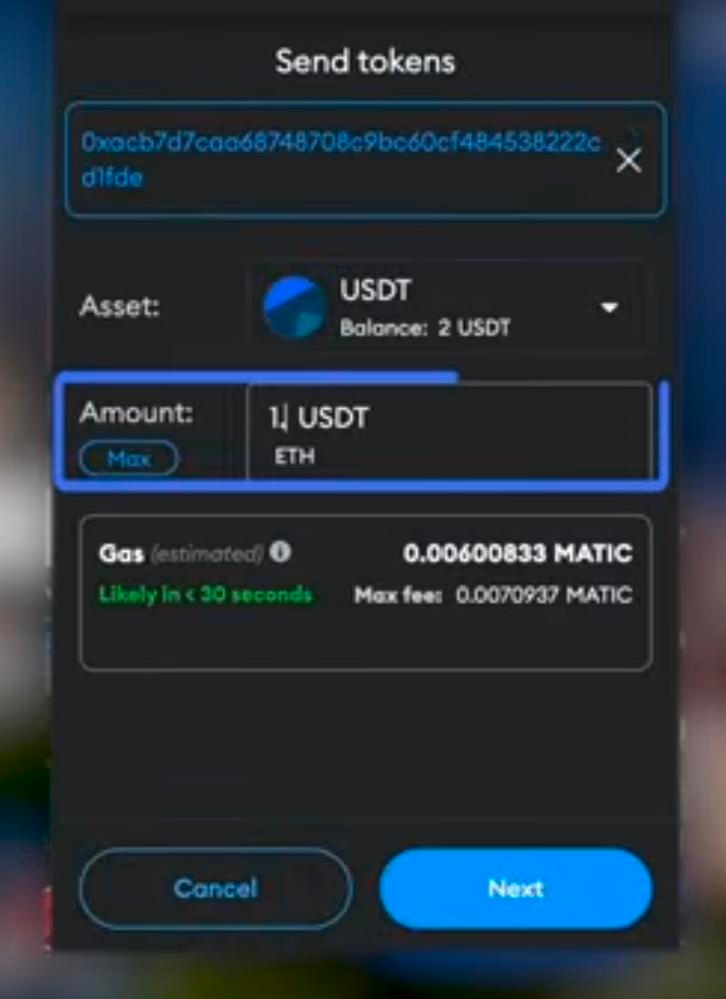
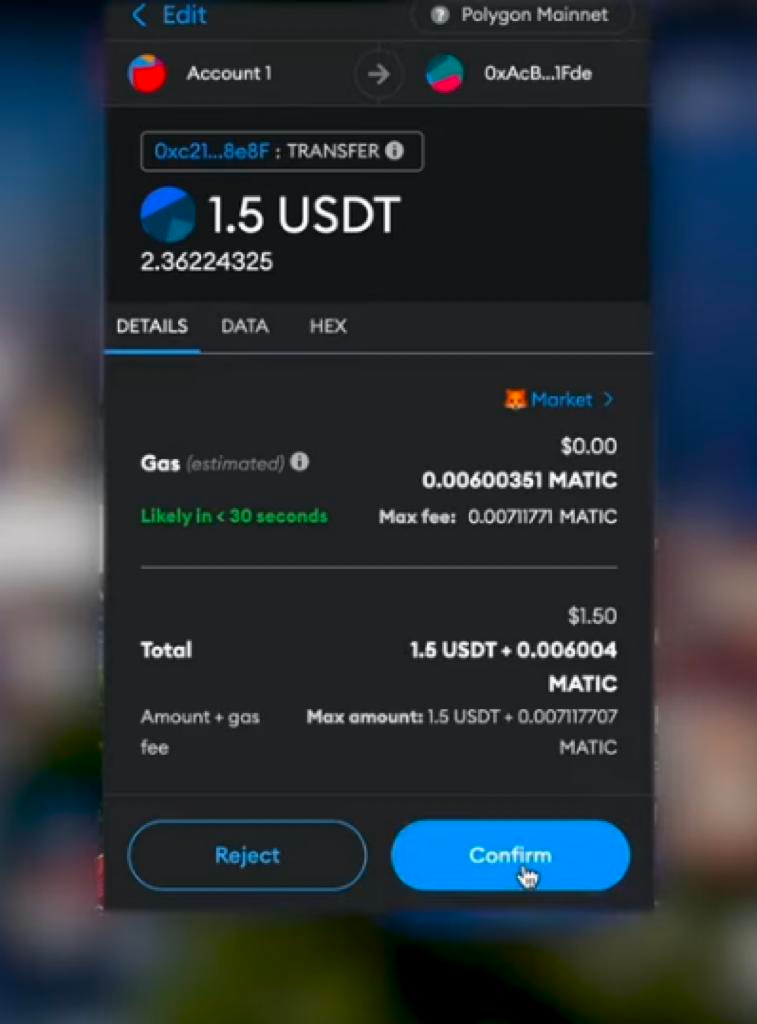
Step 10 - Click on confirm
Step 11 - Once your crypto deposit received, It instantly converted into INR and your Cryptxindia INR wallet receives the converted amount
Was this article helpful?
That’s Great!
Thank you for your feedback
Sorry! We couldn't be helpful
Thank you for your feedback
Feedback sent
We appreciate your effort and will try to fix the article