Step 1: Log in to the Axis Mobile App
Open the Axis Bank mobile app on your device.
Log in using your MPIN or User ID & Password.
Step 2: Select the “Pay” Option
On the home screen, tap the "Pay" option.
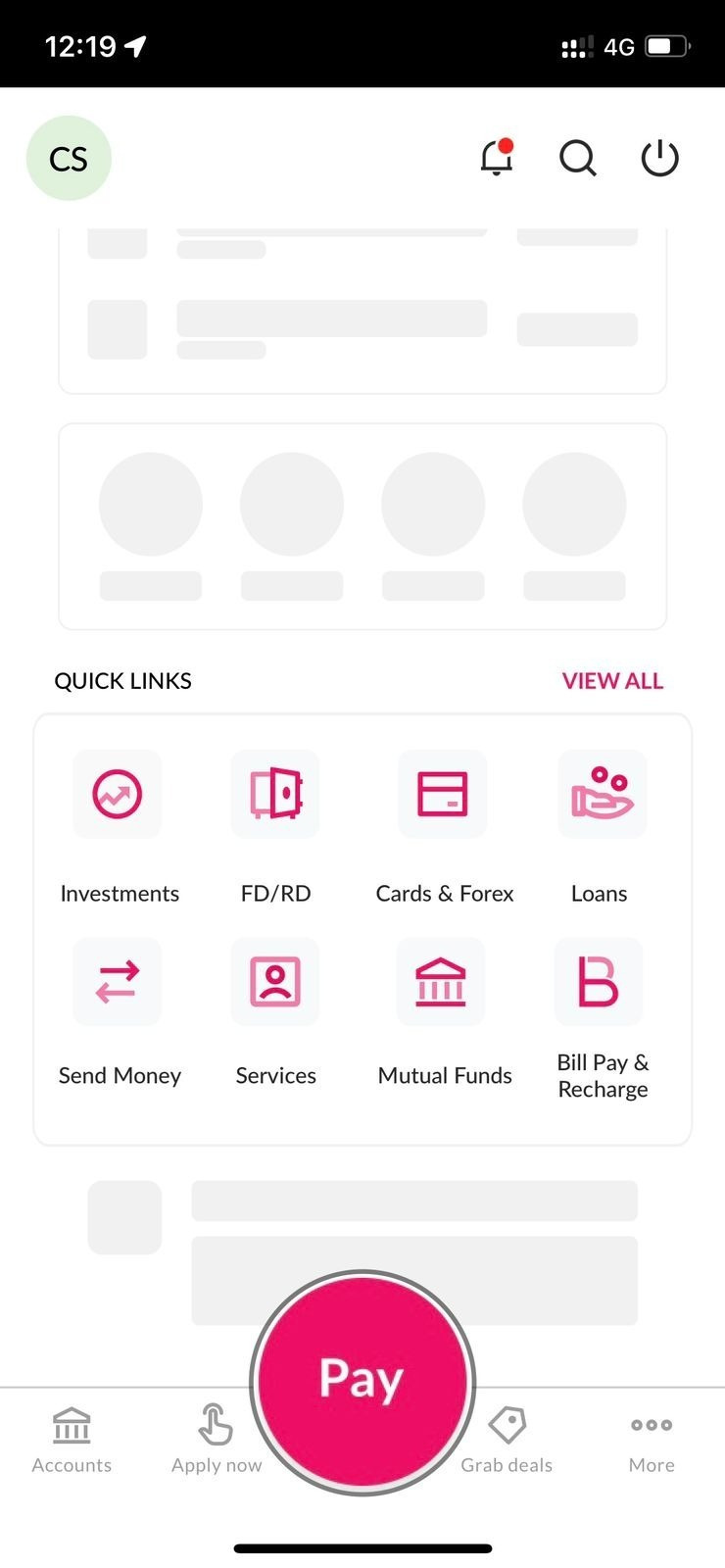
Step 3: Choose “Send Money”
From the available options, tap "Send Money".
Step 4: Add a New Payee
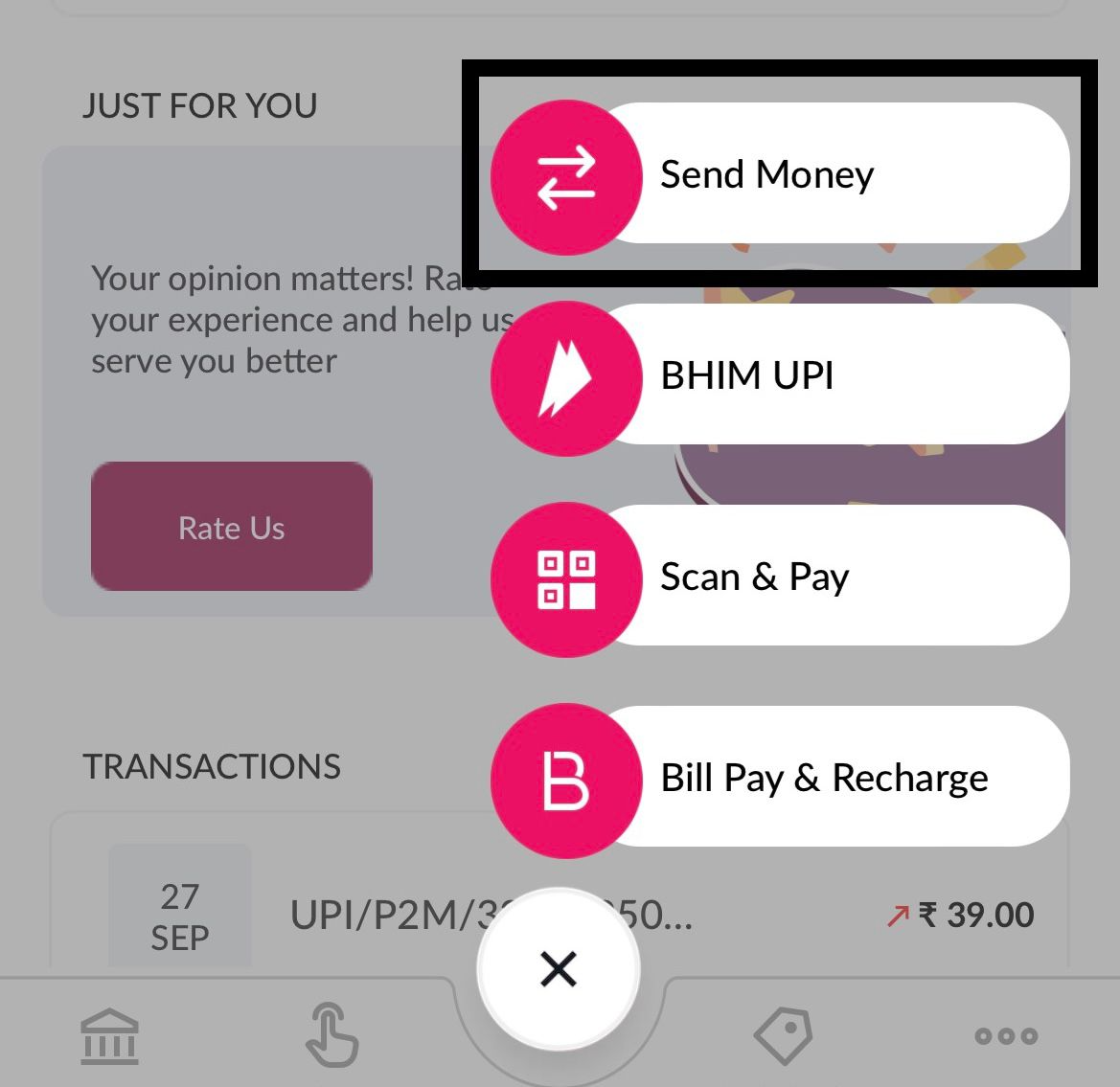
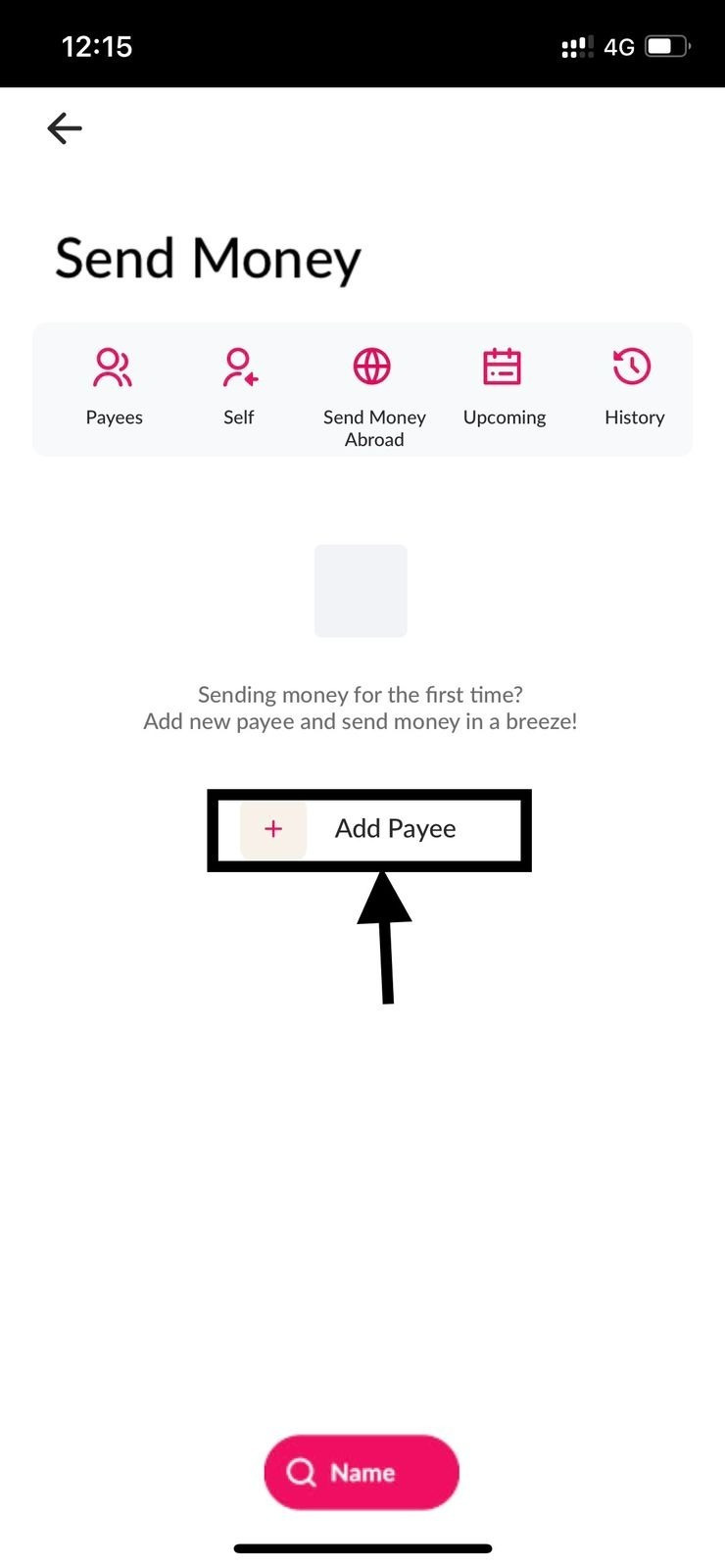
You will be redirected to the payment page.
Tap "Add Payee".
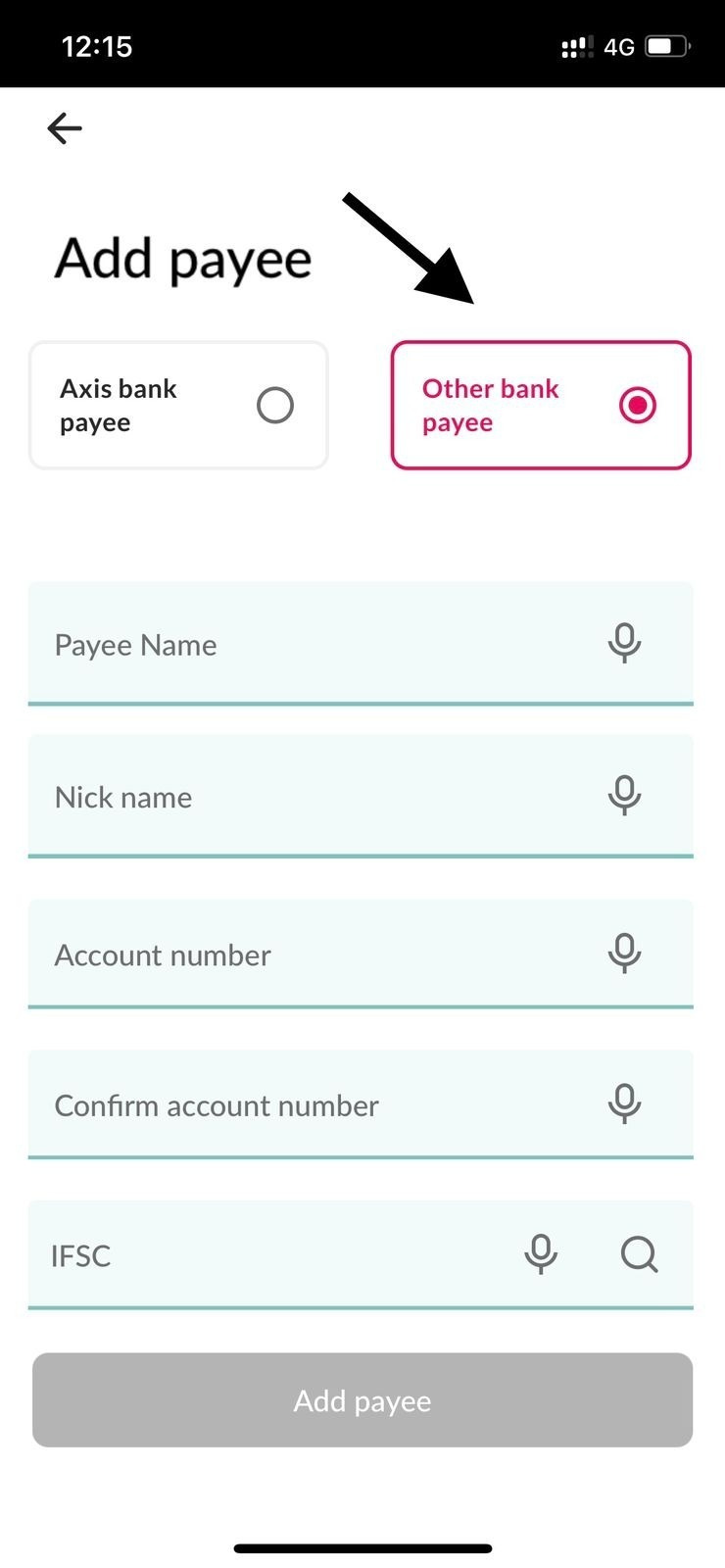
Step 5: Enter Payee (VAN) Details
Open your Cryptxindia app and copy the VAN (Virtual Account Number) account number and IFSC code shown there.
Paste these details into the AXIS app payee form.
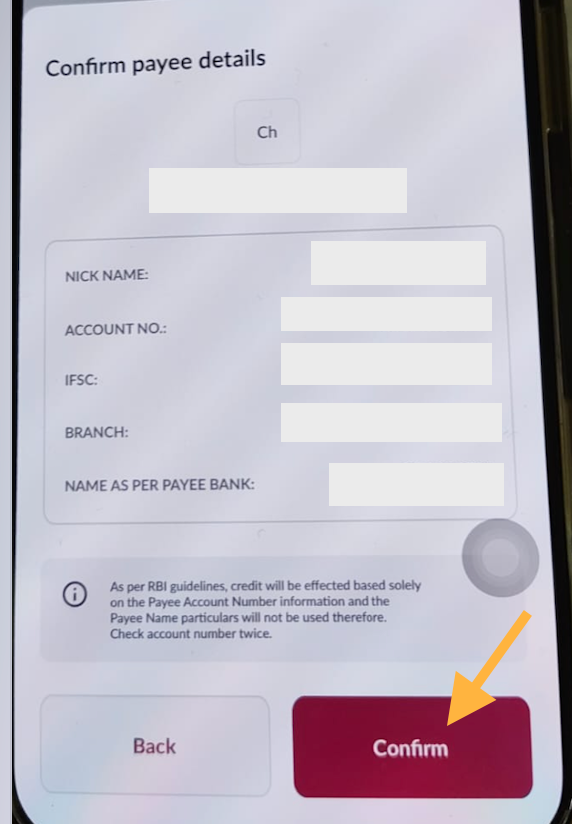
Step 6: Confirm Beneficiary
Review the beneficiary details.
"Tap Confirm".
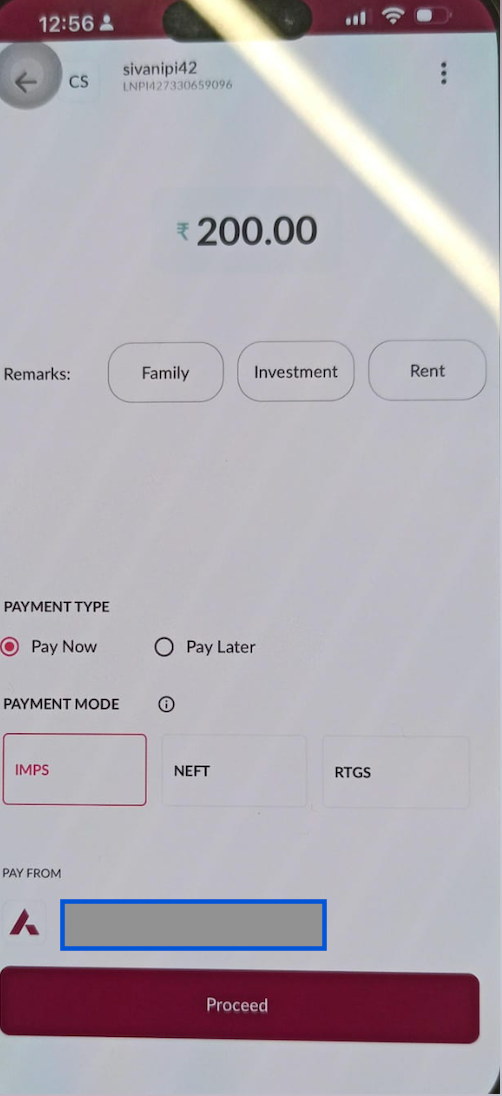
Step 7: Enter Payment Details
Enter the amount you wish to transfer.
Select IMPS as the payment mode.
Tap "Proceed".
Note: Min amount: 200 for IMPS
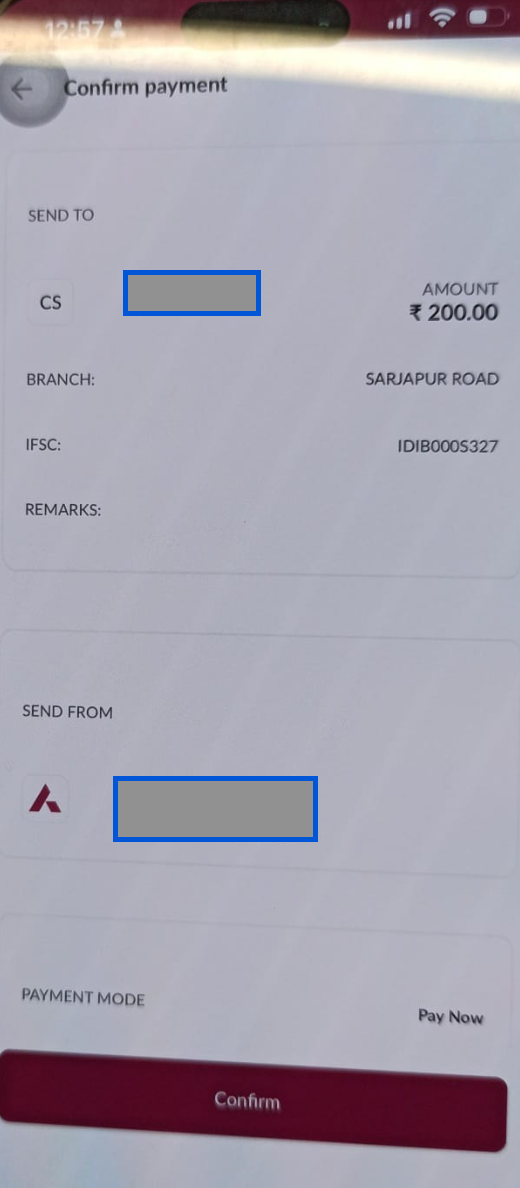
Step 8: Confirm Bank Details
Verify that the bank details shown are correct.
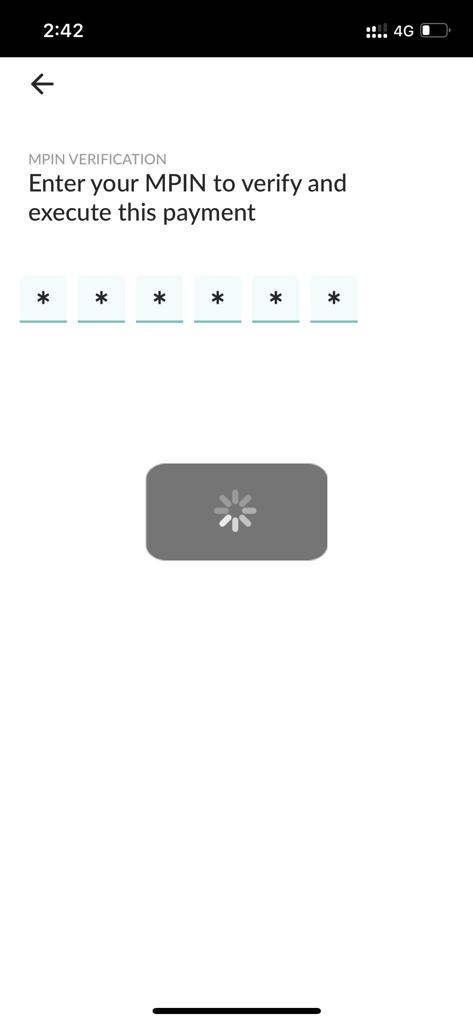
Step 9: Enter Your MPIN
Enter your MPIN to authorize the transaction.
Step 10: Payment Complete
Once the MPIN is verified, the amount will be transferred successfully to your Cryptxindia wallet.
Was this article helpful?
That’s Great!
Thank you for your feedback
Sorry! We couldn't be helpful
Thank you for your feedback
Feedback sent
We appreciate your effort and will try to fix the article